I Can't Code. I Shipped an App in Two Days.

I'm a marketer who can't code, and with AI I started on a Monday afternoon, opened internal QA 27 hours later, and launched a closed beta before dawn on Thursday. Here's how it went, with the numbers, the things that broke, and the stack, nothing held back.
After yesterday's launch party, a lot of people asked how I'd actually built this. Giving a talk or filming a video about it felt like too much, so I decided to write it up instead. Even this post was written by AI, off the commit history, the Slack logs and the meeting notes. All I said was "people seem curious about this kind of thing, so leave out anything sensitive and write a blog post about the parts they'd care about." I didn't change a word. (When I edit it, it gets worse. The only part I added myself is the closing section at the very end.)
You can sign up at app.bloomworld.ai. Signing up puts you straight onto the waitlist, where access opens up in order.
Why a web app, and why me
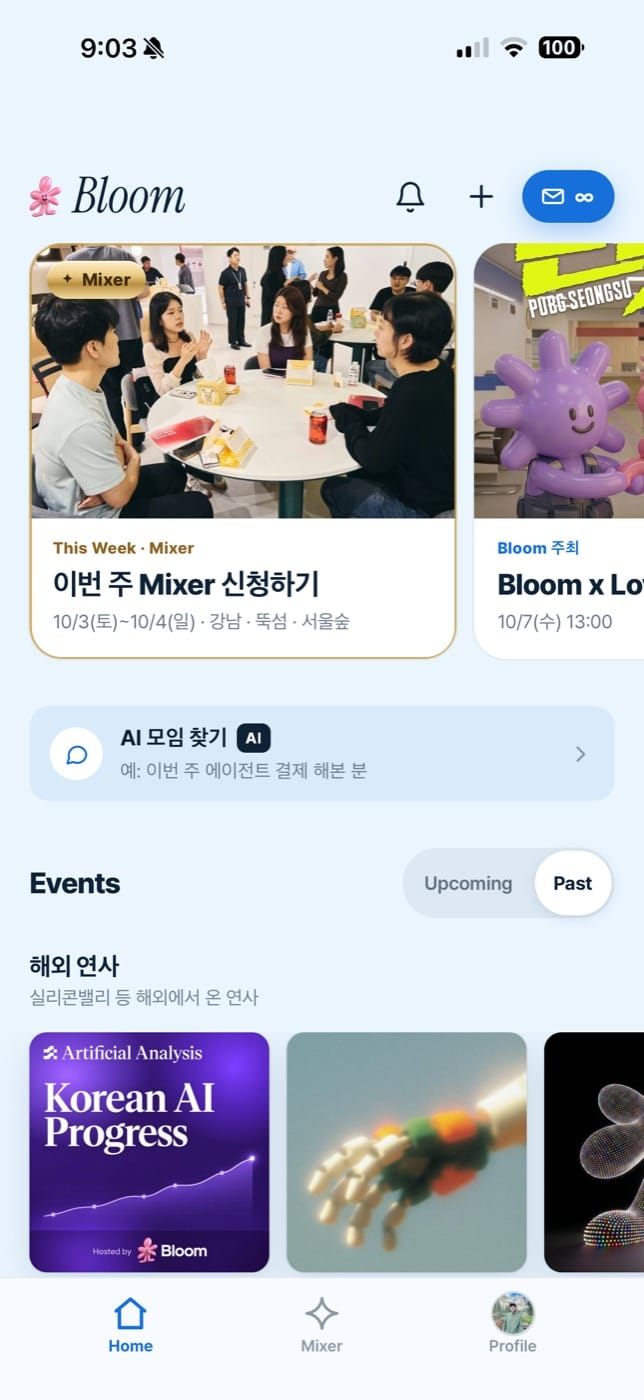
As I wrote in the last post, we built a web app for the Bloom community. Building an app had come up internally before, but the iOS and Android review cycles take time, and more than that we didn't think we had the resources to put into it, so it never happened.
Then community members kept telling us they wanted to get information more easily and talk to each other more. So we decided to build the mobile app everyone's used to, starting with a web app since that skips review.
The problem was who'd build it. In the end I decided to do it myself, a marketer who has never built an app, or anything else. My biggest worry was picking up the pen and then not seeing it through, leaving it half finished.
So I showed my colleagues the screens and features I'd put together as an MVP and asked whether something like Opus 5.5 could get it done within a week. More than enough was what came back, and one person carrying it end to end would be far more efficient than several people coordinating.
Timeline: started Monday afternoon, shipped Thursday before dawn
I took their word for it and started that Monday afternoon.
- Mon 9/28, 15:28. First commit, starting from the Notion PRD and the prototype screens I'd drawn
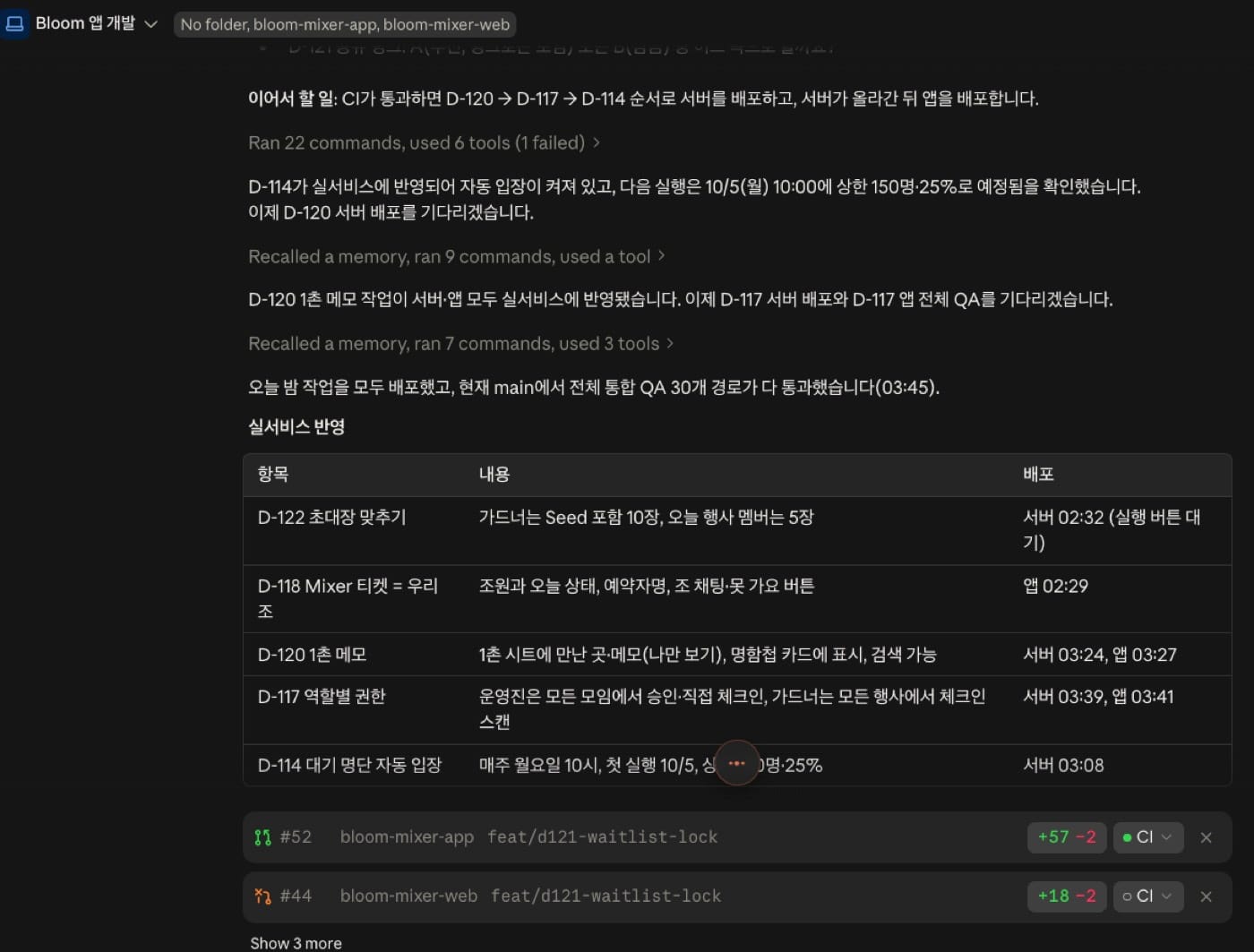
- Tue 9/29, 18:26. Internal QA opens. 27 hours from the first commit
- Wed 9/30. QA rounds two and three, over 100 pieces of feedback folded in
- Thu 10/1, before dawn. Closed beta starts, invitations to the gardeners
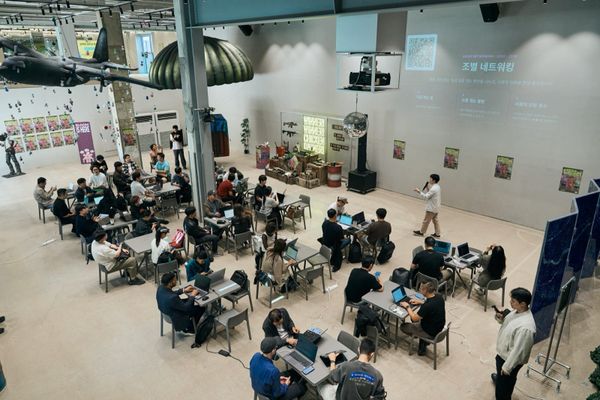
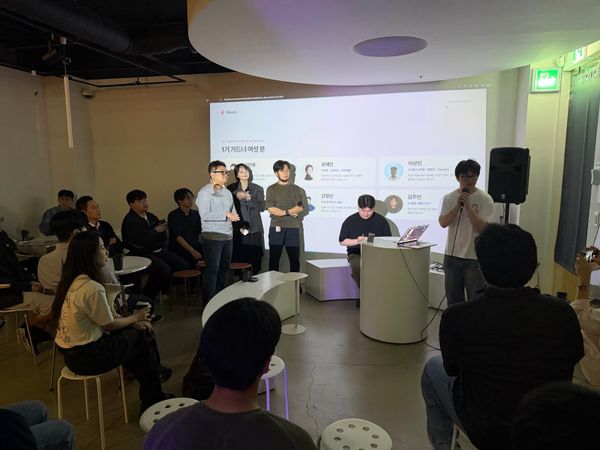
- Thu 10/1, evening. Launch party, "Bloom App x Gardeners"
I'm still fixing small features and wording. Even so the app feels smooth and everything I wanted made it in. At this rate I think we could bolt on what LinkedIn, Remember and Luma do, and eventually Discord too, depending on how much server it eats.
The feature where AI finds events that suit you came out of one sentence: "hook up the free OpenRouter models." It runs through three free models in order and moves to the next when one gets blocked. I locked it so it can't reach a paid model even by accident.
The first four days in numbers
This covers Monday 9/28 afternoon through Friday 10/2 morning.
- Commits: 942 (app 489, server 453)
- Merged PRs: 83 (app 43, server 40)
- Automated server tests: 5,541. Every deploy has to pass all of them (including the existing Mixer server tests)
- Integration QA before deploy: 30 real user flows, from signup to check-in
- Numbered product decisions on the record: 124
- App screens: 14
- The QR bug at the launch party: about 15 minutes from report to deploy
- Day one of closed beta: 332 sign-ups (being let in from the waitlist in order)
Somebody asked what language I used
Yesterday someone from the community asked what programming language I'd used. I said I'd never once thought about it. It doesn't matter much for building the thing.
Writing this post, I finally asked Claude.
- App screens: a web app (PWA) in HTML, CSS and JavaScript. Add it to your home screen and it opens like an app. The prototype screens I drew with Claude are the real screens
- Server: Python (FastAPI) and PostgreSQL. I grew the server that had been running Mixer since August
- Deploy: Docker on AWS Lightsail, Cloudflare in front. GitHub Actions ships only code that passed the tests
- Zero-downtime deploys: two app servers running, swapped one at a time. That's why deploying mid-event doesn't cut anyone off
- Payments: PortOne and Toss Payments. Card registration costs nothing, Plus bills 20,000 won a month
- Integrations: automatic Luma event import, blog and YouTube feeds, web push
- AI: free OpenRouter models for event search
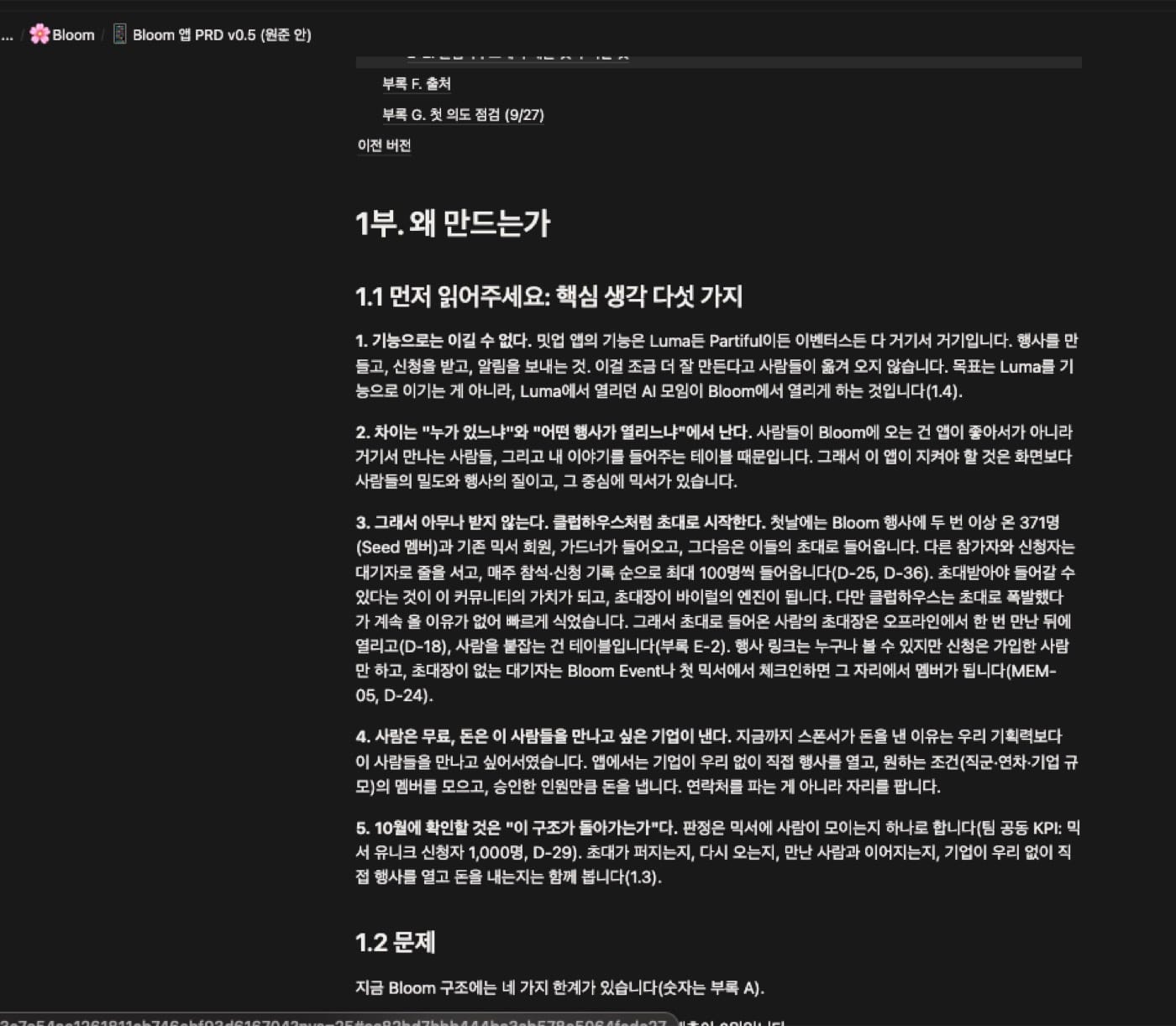
The PRD is the guardrail
- Before building anything I wrote the PRD in Notion, as carefully as I could. Keep bolting on features and AI runs off and builds all sorts of things. So every time we add a feature, AI checks it against the PRD for anything that drifts from or contradicts the original intent.
- When something has to change, the PRD changes first, and what changed and why gets logged with a number. My own thinking shifts while I build. Four days in, 124 decisions have piled up that way.
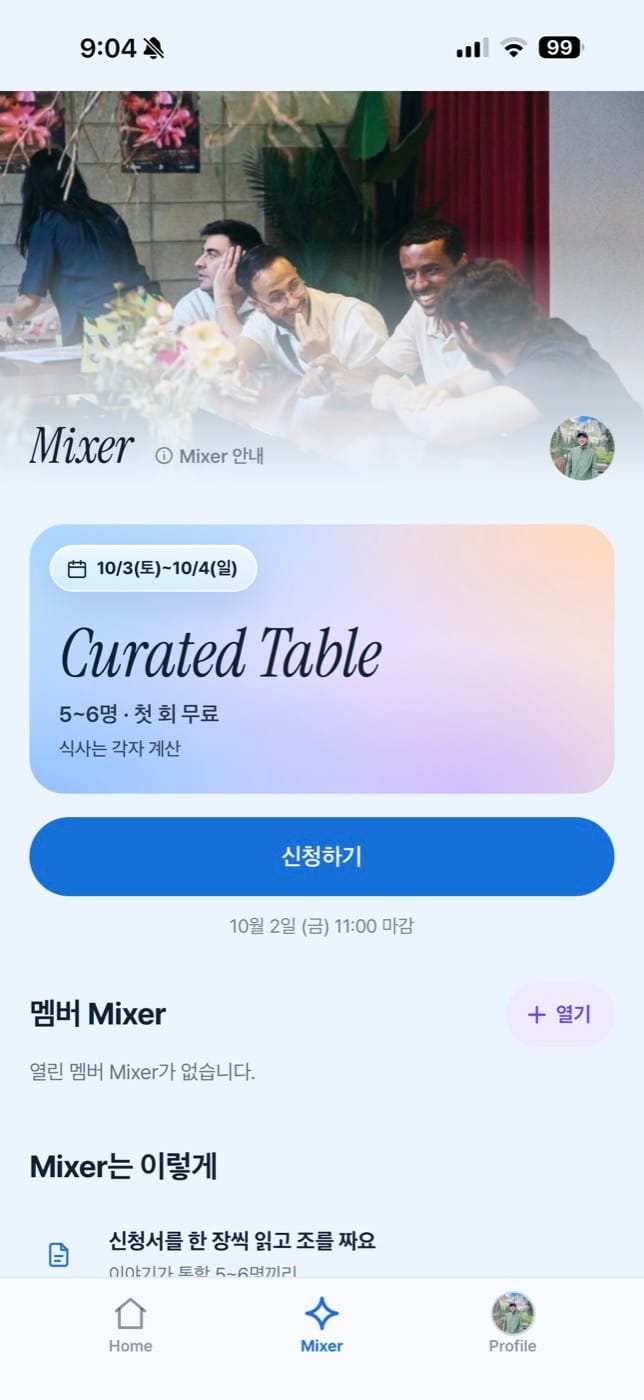
- The PRD opens with background, purpose and KPI. The goal is 1,000 Mixer signups by October 31. Your first Mixer is free once you register a card, and from the second it's Plus (20,000 won a month, unlimited Mixers).
- When we ran Mixer on the web in August and September, close to 170 people signed up. Back then it was 20,000 won per session, and since people suggested a subscription would be better, we switched. I'm hoping it feels easier to walk into this time.
A gardener who works as a developer at Toss asked how I built it in two days. The question seemed to be less about features and more about the feel of it. There were already good references to draw from, and I was fairly clear about what I wanted to make.
- Find and create events, like Luma
- Find and create small curated gatherings, like Mixer
- Connect with each other, like Remember
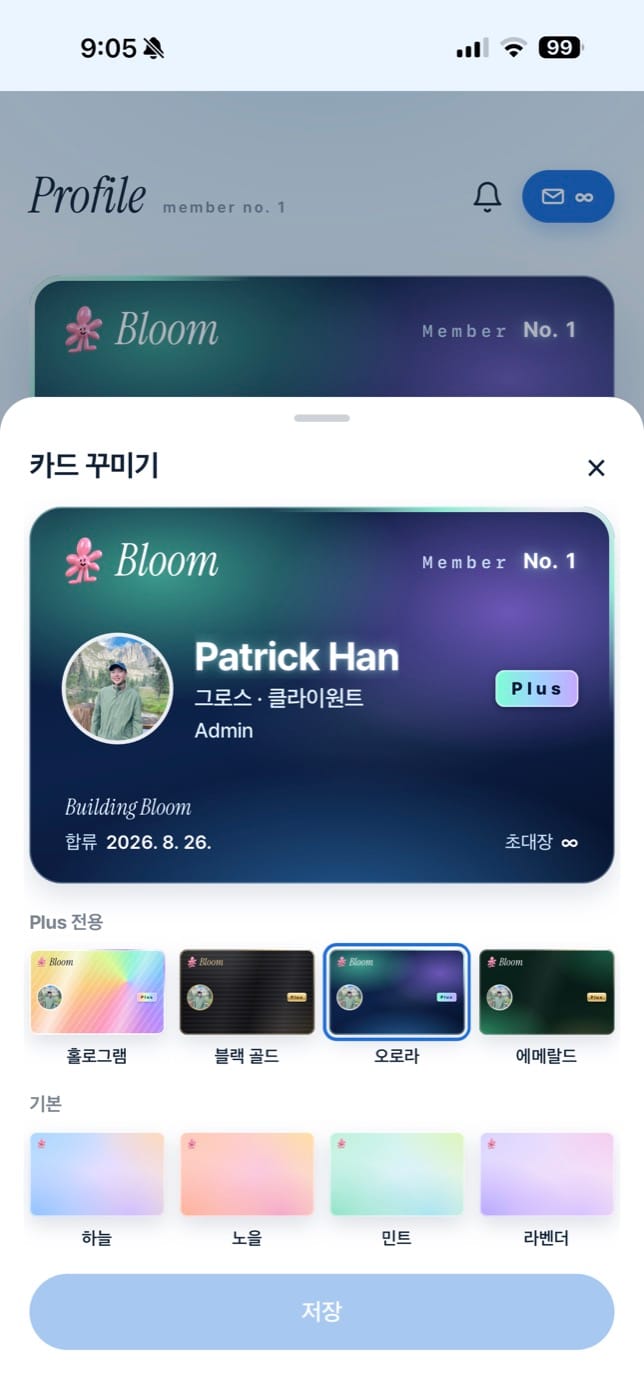
- Cute touches like decorating your card
- AI sorting events into topic tags
How I ran QA
QA ran in three layers.
1. At night, Claude alone. Say "run QA" and it spends the night in a real browser clicking through 30 flows itself, from signup to invitations to the waitlist to Mixer signup and card registration to the connection QR to on-site check-in, fixing what it finds. Before any deploy, 5,541 server tests and all 30 flows have to pass.
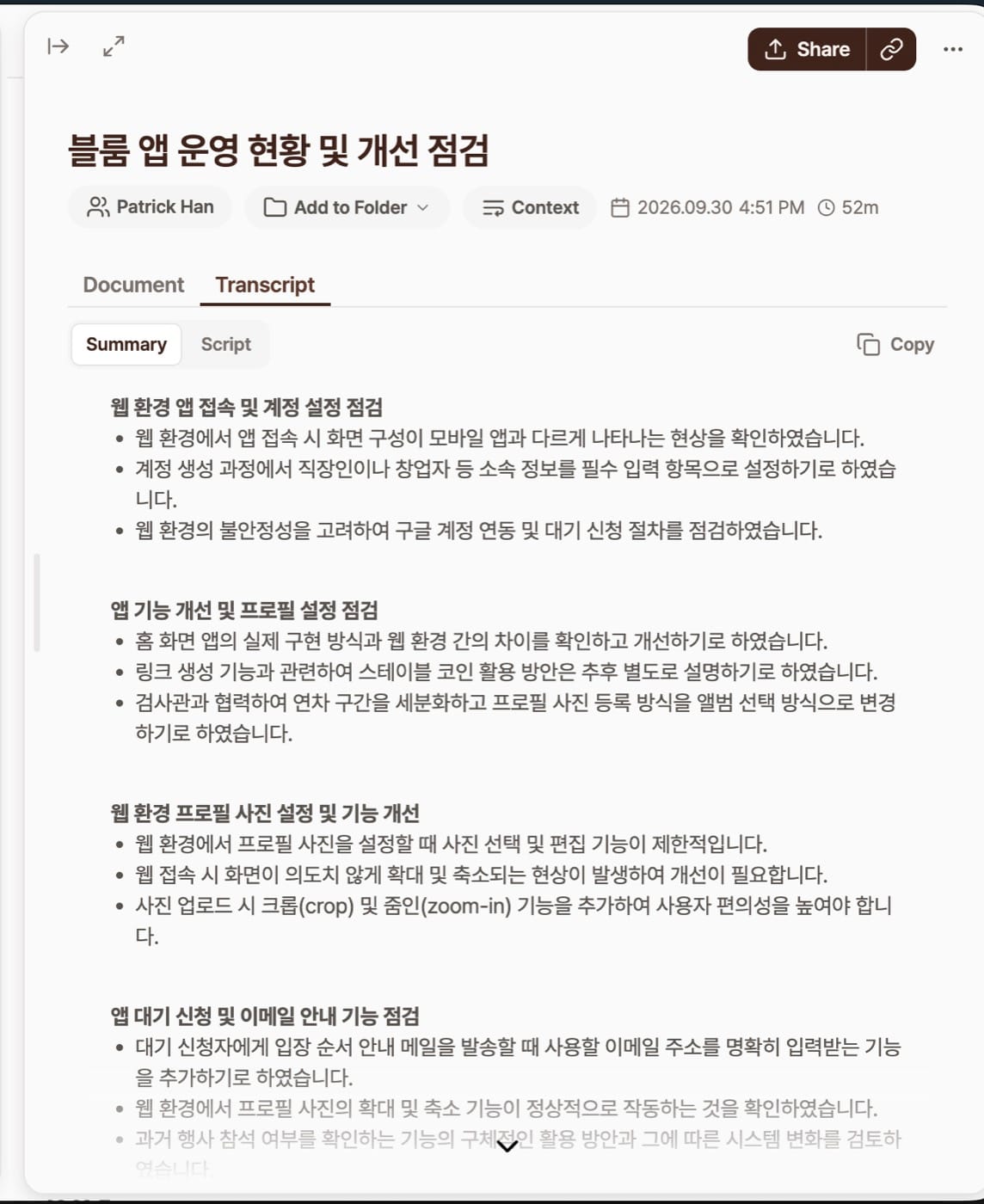
2. During the day, an internal Slack thread. Colleagues try it on their own phones and post one item each. The developers wrote theirs precisely, while mine were honestly a mess. Claude reads the thread on a schedule, puts a green check on what it has handled, fixes it, and posts where things stand.
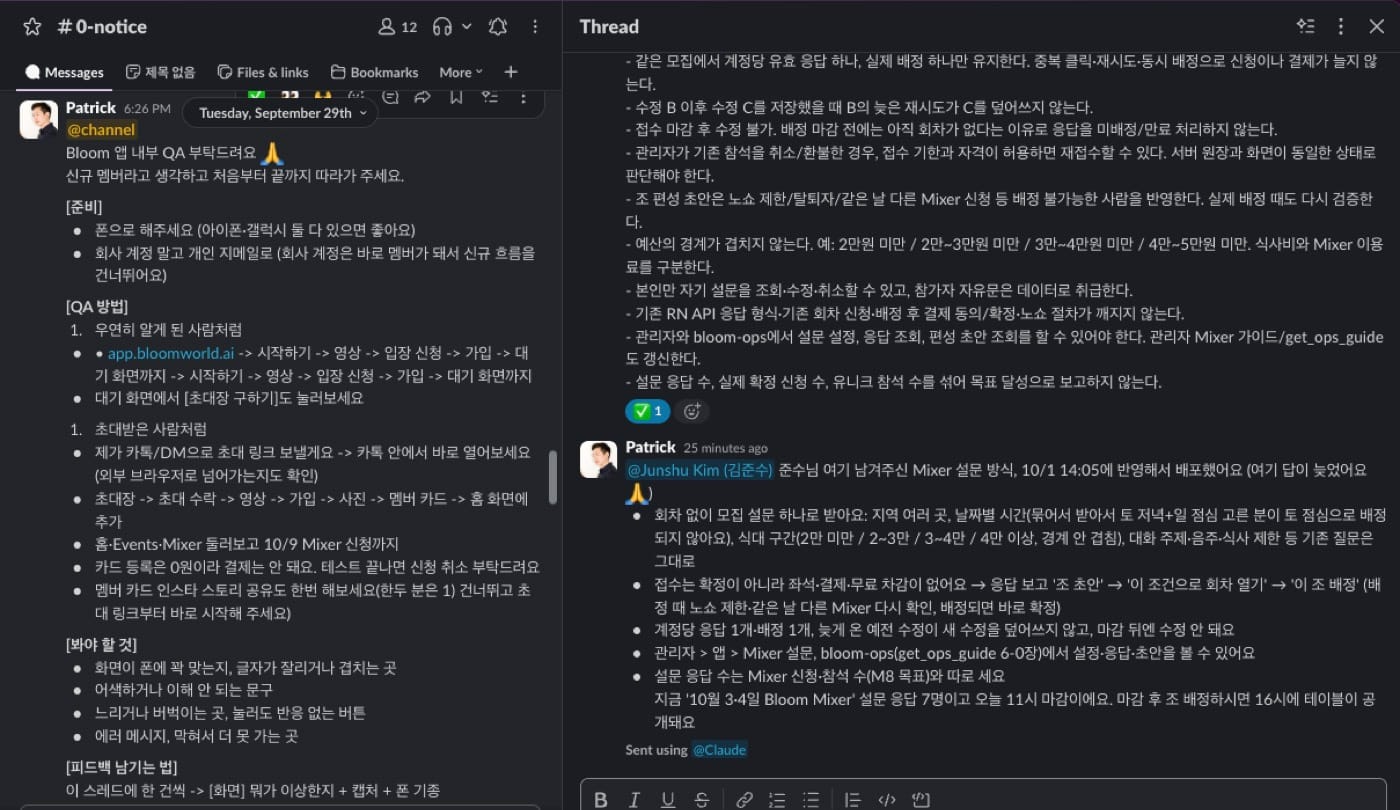
3. Last, a recording. Junsu and I spent an hour looking at our phones and talking, no screenshots, just talking. I handed over the whole transcript of that call and said "listen to what we said and fix it however you see fit."
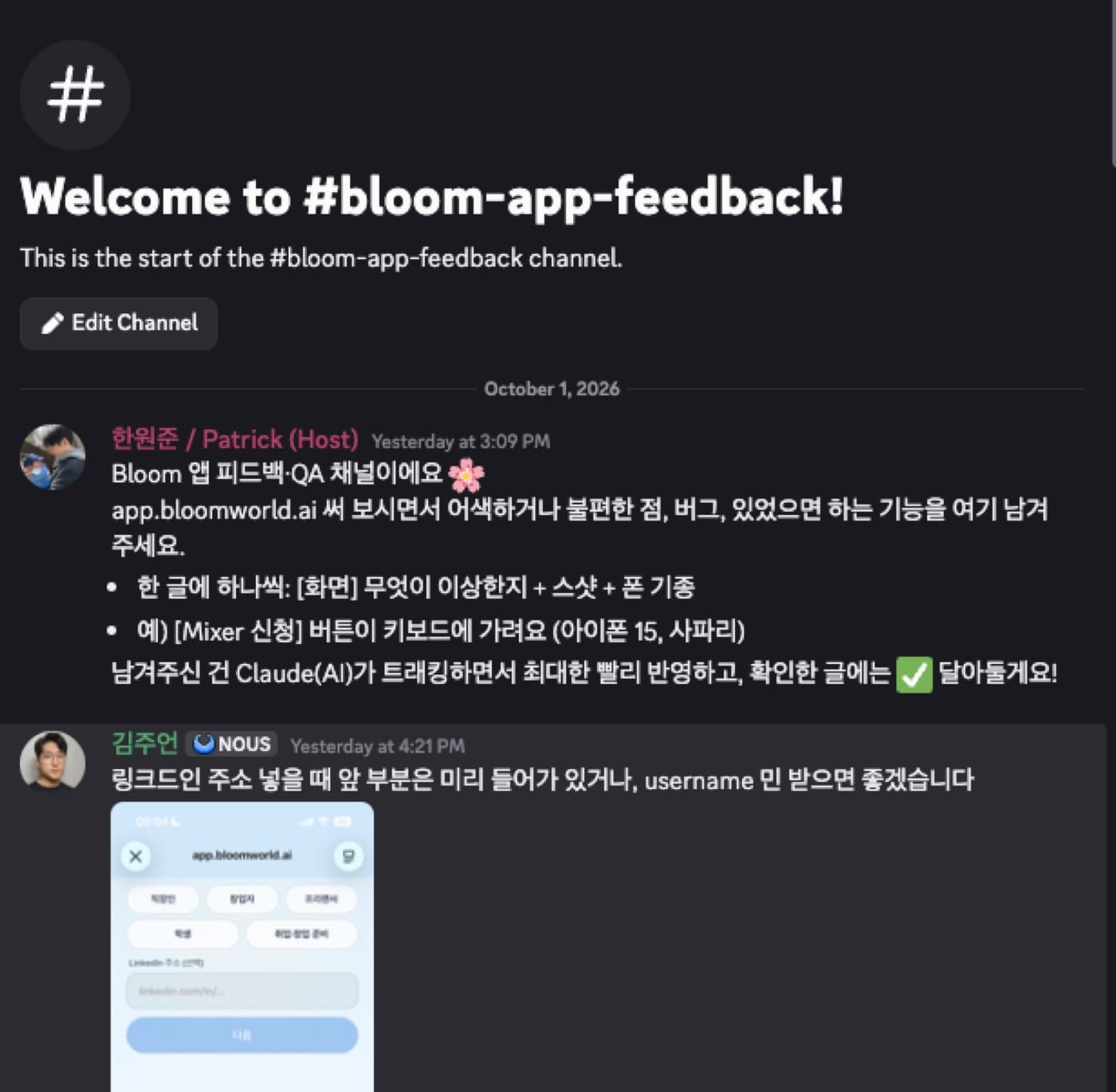
We did the same thing in the community Discord. A post lands in the feedback channel, Claude reads it, drops a green check, fixes it, and posts what's been folded in.
What happened at the launch party
At yesterday's launch party I demoed the app and told people to connect with each other. And wouldn't you know it, the QR that had worked fine stopped working. People scanned it and got logged out. Others said the QR was too dense to read. Both at once.
Right there I told Claude "the QR is broken, fix it," and fixed code came back within minutes. The whole thing was deployed in about 15 minutes. In the old days this would have meant calling a developer in the evening and begging them to look at it. It was a simple feature, sure, but there was nothing I handed to AI that it couldn't do.
The cause was interesting too. Scan a QR with the stock iPhone camera and it opens in Safari rather than the app you added to your home screen, and the two hold separate logins. Nobody had actually been logged out. Safari just didn't know about the login.
So we changed the instructions to scan from inside the app with "QR scan," and made it tell you to go back to the app if it opens in Safari. The QR got less dense (53 modules down to 41) and bigger.
How someone who doesn't know git avoids breaking things
- Work always happens on its own branch, and only what passed tests and QA reaches the live service
- The order never changes. Change request (PR), automated tests, integration QA, then release. Server first, app after
- Production data changes only when I've said yes. When something needs checking, it reads the numbers and nothing else
- What changed and why goes into the PRD and the work log
Invitations, the early Clubhouse way
You get in by invitation, the way Clubhouse worked early on. It's a closed beta, so I wanted to let members in a few at a time. Everything has two sides, and where at the start I wanted as many people as possible to come, now I want to gather people with a similar grain and build a color of our own.
So invitations went first to people who've come to events repeatedly, to people who came to yesterday's launch party, and to the gardeners. Each person got between 2 and 10 so they could bring people they know in first. If you don't have an invitation, join the waitlist and we'll let people in week by week.
The onboarding video, inspired by 222
Last, I made an onboarding video, about 50 seconds. You can skip it, of course. I still wanted to put real weight into it.
What inspired it was an app called 222, the New York app backed by Y Combinator that got us thinking about Mixer in the first place. The slogan is great too: "explore serendipity."
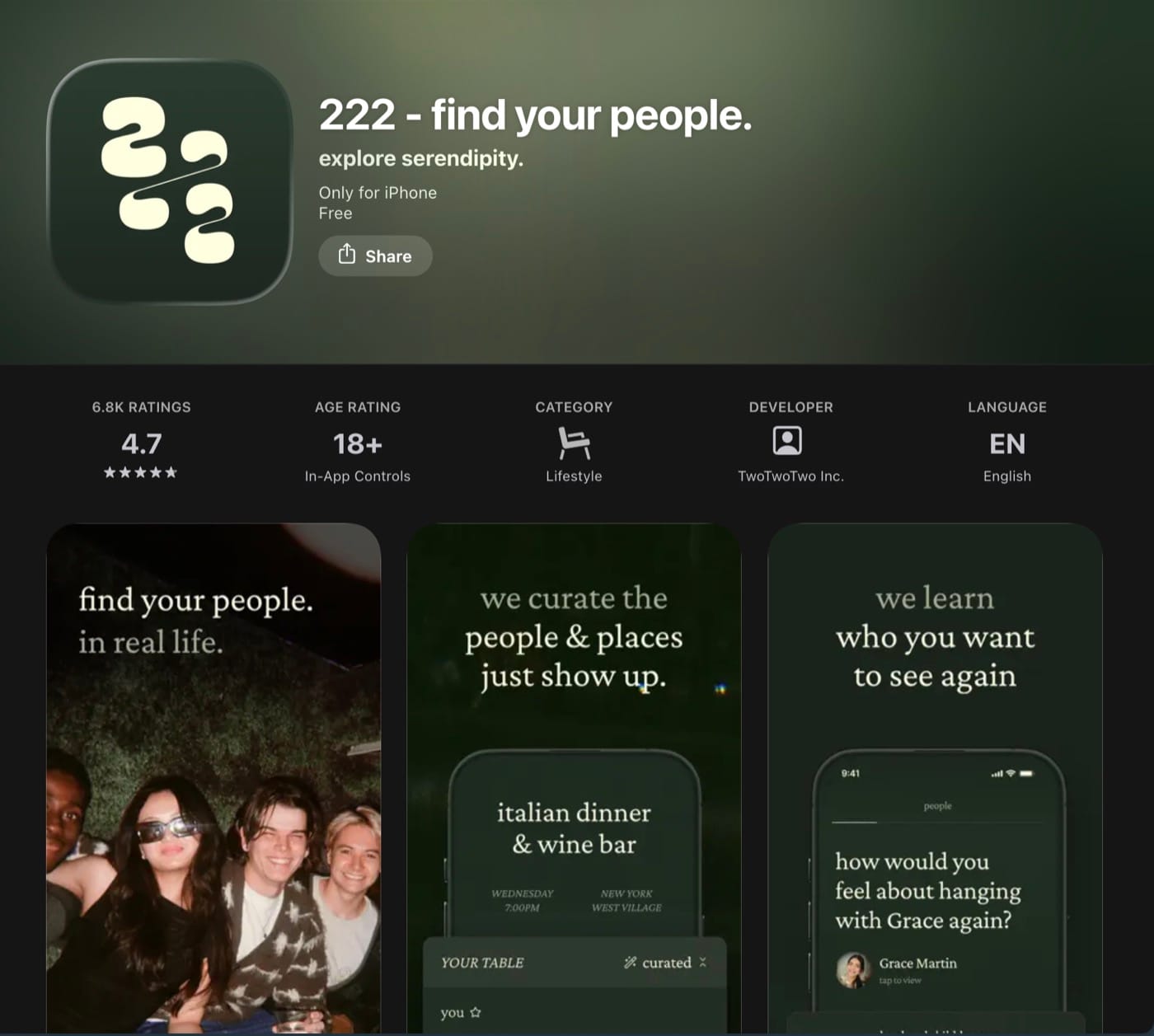
Yesterday a friend who lives in New York was over in Korea for a bit, and while we were talking about Bloom they asked if I knew 222. You need a US number to sign up, so you can't get past the onboarding video, and that opening alone pulled me in enough to make me curious. Studying it led me to a YouTube channel that breaks down the signup flows of apps like this.
Taking that as a starting point, I wanted the feel of a movie trailer. The copy mattered most. I started by dropping in my own LinkedIn post about why we were building this, and that became the script the onboarding video came out of.
I threw the photos from my blog at it and said use whatever you want, and it laid them out on its own without me touching a thing. The copy made me cringe a little at first. I tried to fix it, no ideas came, and the more I edited the more it cringed, so I went with what AI wrote.
Wrapping up
The core of this project was writing a fairly detailed PRD in Notion up front and building from there. That meant I had to be clear with myself about what I wanted to make. In the end the picture in my head came out almost exactly as I'd imagined it. I think that's why the result didn't drift too far or come up short.
The other thing was handing the feedback loop to AI. User feedback comes in through Discord and internal feedback through Slack in real time, and Claude folds it in right away. Not every suggestion goes in as is, of course. Requests that fit the PRD get applied without checking with me, while anything outside our standards gets flagged to me for review first. It proved really good at telling what to decide on its own and what to bring to me. What it brought me was usually a proposal that bent our standards a little but made a convincing case. Once I approve, Claude updates the PRD and announces the change in each channel when it ships.
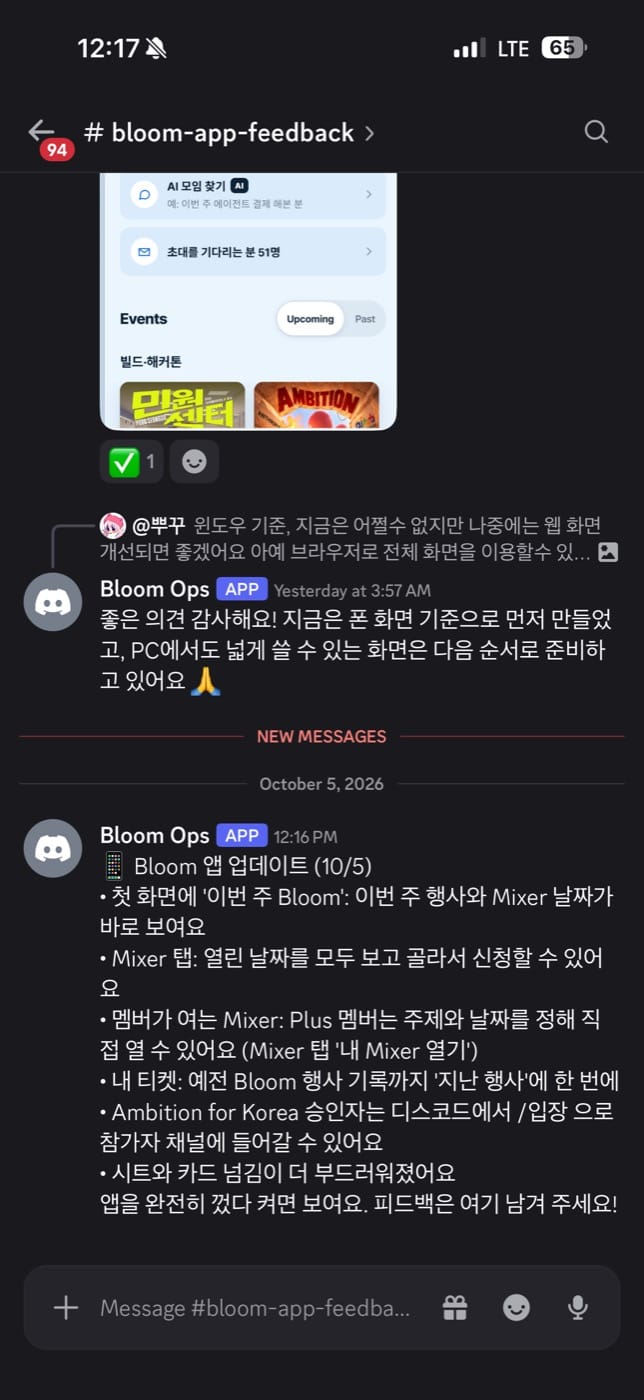
What makes this work is building in public with the community, more than the automation itself. As members volunteer feedback and different opinions and ideas mix together, the app gets a little better every day, picks up new features, and has its screens and UX polished. Users get to watch their own ideas land in the product in real time, which draws them in deeper. It stops feeling like an app you use and leave and starts feeling like a space we're building together.
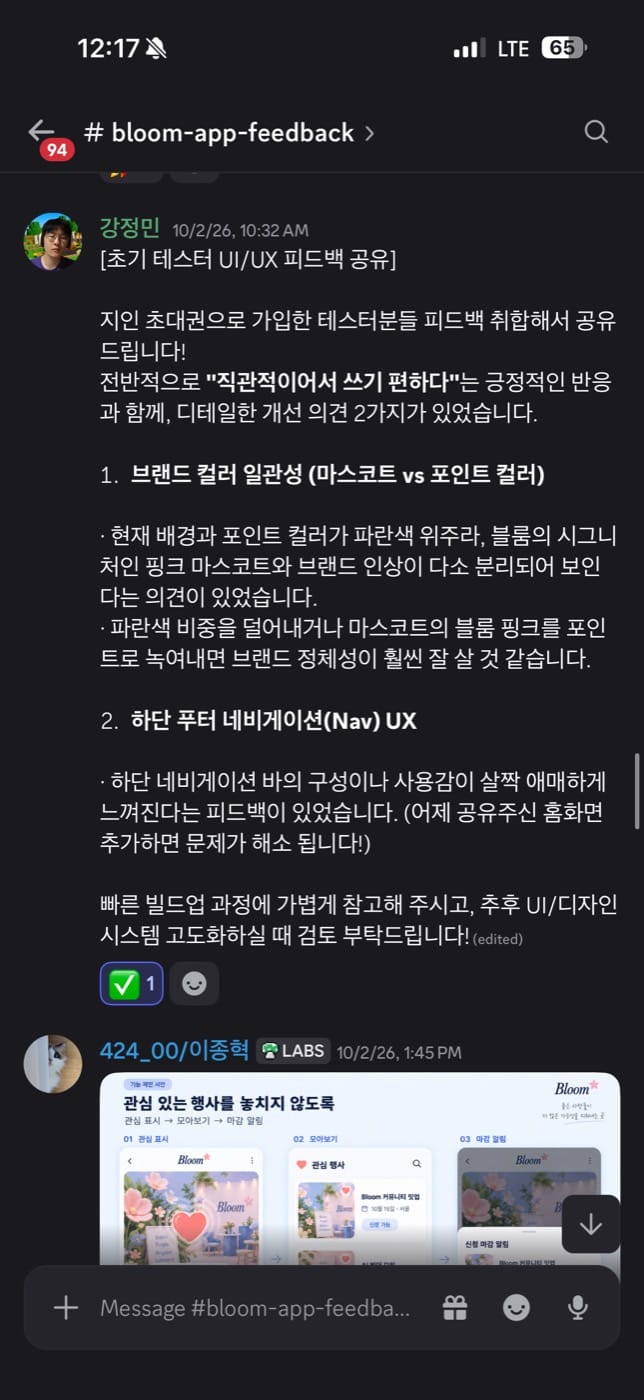
The funny part was the day we first showed the app to the gardeners. It was around 3 a.m. and naturally I was asleep. While I slept, development wrapped up, invitations went out to the gardeners by one-on-one DM, their feedback came in, and the fixes kept going. Seeing that, I thought, okay, I can really leave this to it, and it was a huge weight off my mind.
AI is like a water purifier. Set the right amount and you can go do something else while it runs. Get the amount wrong and you get too little or it overflows. AI is the same: ask at the right size and level and it delivers just that, and I spend the time on other things that matter. We didn't have a purifier at home before, so a drink meant standing at the sink with a cup, waiting, and those 10 seconds felt like such a waste. Now I press a button, do something else, come back and drink, which is such a relief. It's a funny comparison, but that's how comfortable and dependable working with AI feels to me.
That's how I built the first app of my life, and the best part was that making it was so easy and the result came out so well that I had a lot of fun. I want to keep refining it with the community, going back and forth openly.
The app lives at app.bloomworld.ai. With an invitation you're in right away, and without one you join the waitlist and wait your turn. If there's a Bloom member near you, go ask them for an invitation. If you want to build it with us, come to the Bloom Discord (discord.gg/KRvfQTNrxH).
Keep reading
Join Bloom
Bloom builds offline rooms where people and technology meet. We run them in Seoul, and now beyond it.
- 💬 Discord community, where events are announced first
- ▶️ YouTube, full talks from past events
- 📸 Instagram, photos from our events
- 🎟️ Upcoming events